
Roll Labels
Roll labels and stickers
Personalise products and packaging with printed roll labels. Choose the shape, material and roll setup, or find blank thermal labels to print in your business.

Standard Roll Labels
Perfect for labeling and branding.
- 3 size options
- 3 formats available
- Paper or Polypropylene

Rectangular Roll Labels
Perfect for mass labeling.
- 7 size options
- Front printing
- Paper or Polypropylene

Square Roll Labels
Ideal for versatile packaging.
- 3 size options
- Front printing
- Paper or Polypropylene

Round Roll Labels
Versatile and economical solution.
- 3 size options
- Front printing
- Paper or Polypropylene

Thermal Labels
Fast identification for logistics and shipping.
- For direct thermal printers
- 4 sizes available
- Scratch-resistant protection (TCK)
- Supplied on rolls

Custom Roll Stickers
Practical and durable for packaging.
- Custom size
- With special cutter
- Paper or Polypropylene
Where will you use them?
Jars and bottles
Match the size to the available area and the curve of the container. Consider moisture and handling when choosing the material.
Boxes and bags
Add your branding or a message to the packaging. Check adhesion on the chosen surface.
Product packaging
Arrange your logo and product information so that they are legible at the final label size.
Identification and dispatch
To print addresses, references or barcodes in your business, choose thermal labels compatible with your equipment.
Cut shapes and available sizes
Compare printed roll label sizes. Links open the product; select the size in the configurator.
Custom cut
Set the width, height and outline on the product page. Prepare the cut line according to the artwork instructions.
Paper or polypropylene?
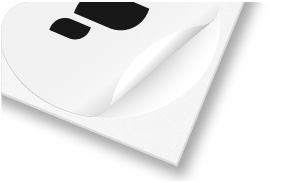
Self-adhesive paper
An option for identifying products and personalising packaging in dry environments.
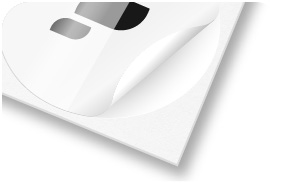
Self-adhesive PP
White polypropylene with greater resistance to water and handling. Check suitability for the surface and conditions of use.
Set up the roll for application
Compare the options available for each product with your application method and equipment.
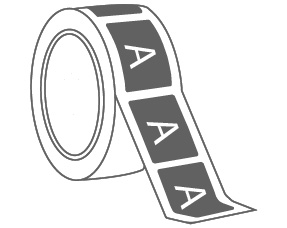
Unwinding orientation
Sets the artwork position relative to the direction in which labels leave the roll: 0°, +90°, 180° or −90°.
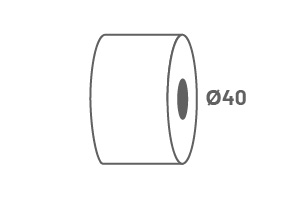
Core
The central tube of the roll. The standard models checked show a 40 mm internal diameter; confirm the size on the product and equipment.
Gap between labels
The gap forms part of the setup for application. For custom-cut labels, select the available gap in the configurator.
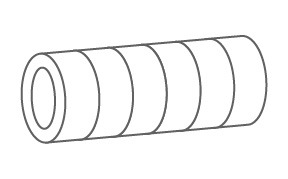
Roll division and labels per lane
Division distributes the ordered quantity across rolls. Also check the labels per lane and the final supply format shown on the product.
Blank thermal labels
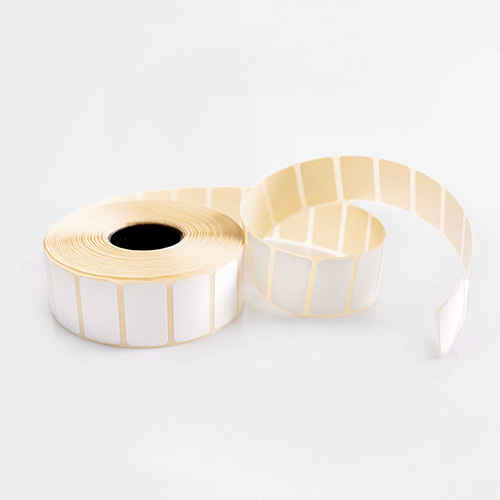
Print addresses, references, prices and barcodes in your business. Direct thermal printing creates the image through heat, without a ribbon. Suitable for compatible Zebra printer models and other brands.
Available in 40 × 25, 60 × 30, 100 × 50 and 100 × 150 mm. Check the print width, core and outer roll diameter accepted by your equipment.
View thermal labelsFrequently asked questions about roll labels
Are roll labels supplied printed?
Personalised labels are printed with your design. Thermal labels are supplied blank for the customer to print later.
What is the difference between paper and PP?
Paper is an option for dry environments. PP is a polypropylene film with greater resistance to water and handling. Choose according to the packaging and intended use.
Can I apply labels to wet packaging?
Water resistance does not guarantee adhesion to a wet surface. Apply to a clean, dry surface and check that the adhesive suits the conditions of use.
Which shapes can I choose?
Round, rectangular and square labels are available in preset sizes, alongside a custom-cut product. The general product brings together the standard shapes.
Can I order a custom outline?
Yes, with the custom-cut roll label product. Set the dimensions and prepare the cut line according to the instructions; outline complexity is a product option.
What does unwinding orientation mean?
It is the orientation of the artwork as the label leaves the roll. It should match the packaging position and the applicator’s working direction.
Do the rolls fit every automatic labelling machine?
Check the core, outer diameter, roll width, label dimensions, gap and orientation against the equipment requirements. A roll format does not guarantee universal compatibility.
Does dividing the order into rolls increase the label quantity?
No. Division organises the total quantity across rolls. Check the ordered quantity and supply format selected in the configurator.
Do thermal labels need a ribbon?
These labels are intended for direct thermal printing without a ribbon. Check that the printer supports this technology and the roll dimensions.
How should I prepare artwork for printed labels?
Prepare the design at final size, following the bleed, safety margin and, where relevant, cut line specified in the product template. Check text and code legibility.


