
Document Folders
Personalised document folders
Present proposals, hand out documents at events or organise files with your company branding. Compare folder styles, document sizes and ways to hold the sheets.

Documents Folders
Ideal for a professional presentation.
- 6 size options
- Double-sided printing
- Paper from 300 to 350 g/m²
- Matte, gloss, and SoftTouch lamination

Single-Pocket Folders
Perfect for an organized presentation.
- 2 size options
- Front printing
- Paper from 300 to 350 g/m²
- Matte, gloss, and SoftTouch lamination

Standard Folders
Simple and functional for your documents.
- 3 size options
- Front printing
- Paper from 300 to 350 g/m²
- Matte, gloss, and SoftTouch lamination

Fast Staple Folder
With flaps for easy stapling.
- Single size
- Front printing
- Paper from 300 to 350 g/m²
- Matte, gloss, or SoftTouch lamination

Ring Binders
For professional organization and efficient filing.
- 2 size options
- 2 mm cardboard cover
- 130 g/m² coated paper
- Matte, gloss, or SoftTouch lamination
Choose how to hold your documents
Document Folders brings together all the presentation styles below. Each card opens the corresponding product; check and select your configuration on its page.
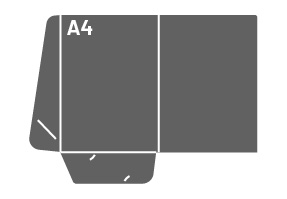
Single pocket
An inside pocket for presentation documents. Available for A4 or A5 sheets.
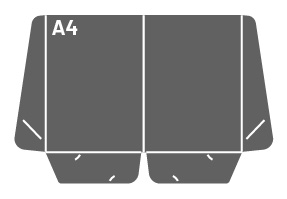
Double pocket
Two inside pockets for arranging documents. An A4-sheet style available in Document Folders.
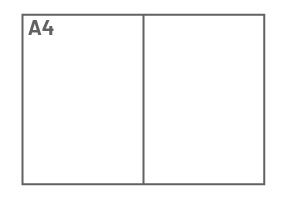
Without pockets
A simple cover for loose sheets. Choose the A4 or A5 format; this style does not fasten the sheets.
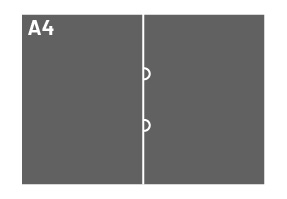
Folder with stapling tabs (Fast Staple)
Inside tabs for stapling the document set to the folder. For A4 sheets.
For A4 or A5 documents
The folder is larger than the sheet it holds. The dimensions below refer to presentation styles; always check the product template.
A4
Folder: 220 × 308 mm. For A4 sheets measuring 210 × 297 mm. Single-pocket, double-pocket, pocketless or tabbed styles.
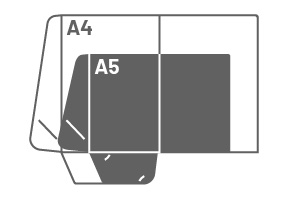
A5
Folder: 158 × 220 mm. For A5 sheets measuring 148 × 210 mm. Single-pocket or pocketless styles.
Ring binders for reference and organisation
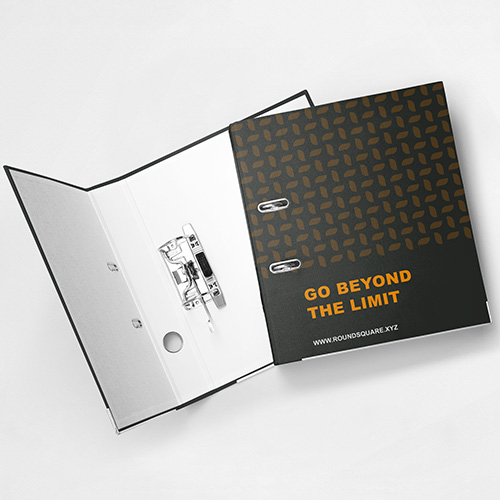
Coming soon
A different solution from presentation folders: a rigid cover and rings for organising reference documents. Compare 47 and 75 mm spine options and check capacity on the product page.
View specificationsChoose a folder for its intended use
Proposals and meetings
Use one or two pockets to gather the proposal and presentation materials. Choose the style to suit the quantity and type of documents.
Events and training
Gather programmes and handouts. To keep a set stapled to the folder, consider the Fast Staple tabbed style.
Document organisation
Folders without pockets gather sheets for reference. For ring filing with a rigid cover, see Ring Binders.
Prepare your artwork for the chosen style
Template, trim and folds
Use the template for the selected style. Respect the outline, fold lines and safety margins; keep important information clear of trim areas.
Pockets, inside and outside
Check artwork orientation after folding and which sides are included in printing. Pocket or slot positions depend on the style.
Need help with your folder design?
Tell us the style, document format and intended use. We can help arrange your logo, contact details and branding on the folder template.
Request design helpHow to choose your folder
Compare the style, size and document fastening before preparing your folder.
How do Document Folders differ from the specific styles?
Document Folders brings together single-pocket, double-pocket, pocketless and tabbed styles. The specific products provide access to these solutions. Ring Binders are a different product, with rings and a rigid cover.
Which folder should I choose for a business proposal?
A single- or double-pocket folder helps gather the proposal and presentation materials. Consider the format and thickness of the document set; capacity is not the same for every style.
What size is a folder for A4 or A5 documents?
In the presentation styles checked, the A4 option measures 220 × 308 mm and the A5 option 158 × 220 mm. These are folder dimensions, not sheet dimensions. Always check the selected product template.
How does a Fast Staple folder work?
The style has inside tabs for stapling the sheets to the folder. It keeps documents attached, unlike pockets that simply hold them. Check positioning on the template before preparing the design.
How many sheets fit in a folder?
This depends on the style, sheet weight and total document thickness. For presentation folders, check capacity before ordering for bulky sets. Filing options have their own capacities shown on the product page.
Can I include a business card?
Check whether the selected folder template includes dedicated slots, and confirm their position and size. Not every style necessarily has a business card holder.
Does printing cover both inside and outside?
Check the sides specified in the selected style’s configurator. Printing and lamination coverage are separate options; double-sided lamination does not itself mean double-sided printing.
How should I prepare folder artwork?
Choose the style first and download its template. Follow the bleed, margin, trim and fold instructions, and check artwork orientation on the pockets. If you created the design in another application, adapt it to that template before submitting.


